

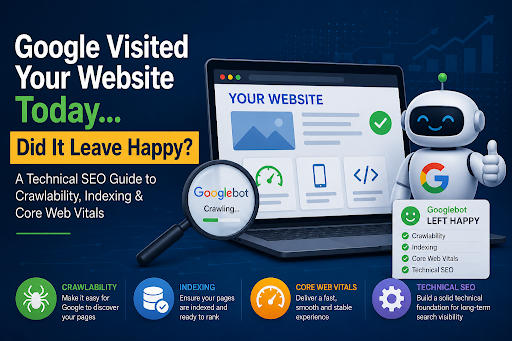
Every day, Google’s bots visit millions of websites.
They crawl pages, evaluate performance, understand content, and decide what deserves a place in search results.
But here’s the question most website owners never ask:
When Google visited your website today… did it have a great experience—or did it leave frustrated?
Think of Googlebot as your most important visitor. Unlike human users, it isn’t looking to buy a product or fill out a contact form. Instead, it’s checking whether your website is fast, accessible, easy to understand, and technically sound.
If Google struggles to crawl your pages, encounters slow loading times, or finds indexing issues, your website could lose valuable search visibility—even if your content is excellent.
Let’s explore the four technical SEO factors that determine whether Google leaves your website happy.
Imagine inviting someone into your office but locking half the doors.
That’s exactly what poor crawlability feels like to Google.
Crawlability refers to how easily search engine bots can discover and navigate your website. If important pages are blocked or buried too deep, Google may never understand what your business offers.
Common crawlability problems include:
1. Broken internal links
2. Incorrect robots.txt rules
3. Orphan pages with no internal links
4. Excessive redirect chains
5. Server errors (5xx)
6. Poor website architecture
When Google wastes time navigating dead ends, it spends less time crawling your valuable content.
1. Build a logical website structure.
2. Link important pages internally.
3. Fix broken links regularly.
4. Submit an updated XML sitemap.
5. Avoid accidentally blocking essential pages in robots.txt.
A website that’s easy to crawl is easier to rank.
Many website owners celebrate when Google crawls their pages.
But crawling and indexing are two completely different things.
Crawling means Google discovered your page.
Indexing means Google decided the page deserves to appear in search results.
A page can be crawled without ever being indexed.
Common reasons include:
1 .Duplicate content
2. Thin or low-value pages
3. Incorrect “noindex” tags
4. Canonical tag mistakes
5. Soft 404 errors
6. Poor website quality signals
If Google doesn’t index your content, your customers won’t find it through search—regardless of how much effort you put into writing it.
Best practices for better indexing
1. Publish original, high-quality content.
2. Remove unnecessary duplicate pages.
3. Use canonical tags correctly.
4. Monitor indexing reports in Google Search Console.
5. Keep your XML sitemap updated.
Indexing is Google’s way of saying, “This page is worth remembering.”
Content matters.
But so does experience.
Google introduced Core Web Vitals to measure how users interact with your website in the real world.
These metrics evaluate whether your pages feel fast, responsive, and visually stable.
The three Core Web Vitals are:
Largest Contentful Paint (LCP)
Measures how quickly the main content appears.
A slow LCP usually means:
1. Poor hosting performance
2. Large, unoptimized images
3. Slow server response
4. Heavy JavaScript
Measures how responsive your website feels after a visitor clicks, taps, or interacts with a page.
A poor INP often results from:
1. Excessive JavaScript
2. Heavy third-party scripts
3. Poor frontend optimization
Measures visual stability.
Have you ever clicked a button only for the page to shift suddenly?
That’s layout shift.
Common causes include:
1. Images without dimensions
2. Late-loading advertisements
3. Dynamic banners
4. Embedded content loading unexpectedly
Poor Core Web Vitals create a frustrating user experience—and Google notices.
Technical SEO works behind the scenes.
Visitors rarely notice it.
Google always does.
A technically optimized website helps search engines understand, crawl, and trust your content more efficiently.
Important technical SEO factors include:
1. HTTPS security
2. Mobile-friendly design
3. Structured data (Schema markup)
4. Canonical URLs
5. XML sitemap
6. Clean URL structure
7. Fast server response
8. Proper redirects
9. Optimized images
10. Crawl error monitoring
Think of technical SEO as the foundation of a house.
Beautiful content built on a weak foundation rarely performs well.
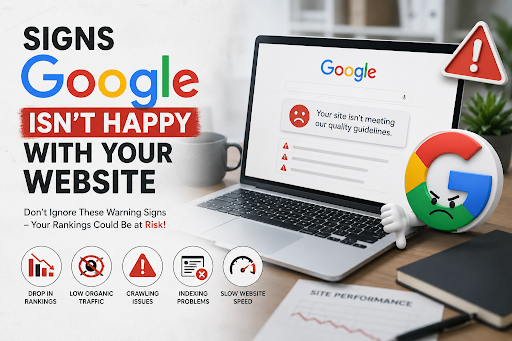
Your website may have technical SEO issues if you notice:
1. Pages disappearing from Google Search
2. Slow indexing of new content
3. Declining organic traffic
4. High crawl error reports
5. Poor Core Web Vitals scores
6. Server timeout errors
7. Duplicate page warnings
8. Broken internal links
These problems often develop gradually, making them difficult to detect without regular website monitoring.
Before publishing new content, ask yourself:
✔ Can Google crawl every important page?
✔ Is the page indexed successfully?
✔ Does the page load quickly?
✔ Is it mobile-friendly?
✔ Are Core Web Vitals passing?
✔ Are there broken links or redirects?
✔ Is the page secured with HTTPS?
✔ Does the XML sitemap include the page?
✔ Is structured data implemented where appropriate?
✔ Are images compressed without sacrificing quality?
If you answered “No” to several of these questions, your website may be limiting its own search potential.
Every day, Google makes countless decisions about which websites deserve visibility.
Great content is only part of the equation.
If your website is difficult to crawl, slow to load, poorly indexed, or technically outdated, Google may leave without fully understanding—or trusting—your content.
The good news is that technical SEO isn’t about tricking search engines. It’s about making your website easier for both Google and your visitors to use.
When your site is fast, crawlable, secure, and well-optimized, Google spends less time solving technical problems and more time recognizing the value of your content.
The next time Googlebot visits your website, don’t just hope it finds your pages.
Make sure it leaves impressed.
Technical SEO is the process of optimizing a website’s technical elements so search engines can crawl, index, and understand its content more effectively. It includes improving site speed, crawlability, mobile friendliness, security, structured data, and overall website performance.
Technical SEO helps search engines access and evaluate your website efficiently. If your site has crawl errors, indexing issues, slow loading speeds, or poor Core Web Vitals, it may struggle to rank well even if the content is high quality.
Crawling is the process of Googlebot discovering and scanning your web pages. Indexing happens after crawling, when Google decides whether a page should be stored in its search index and become eligible to appear in search results.
Core Web Vitals measure the real-world user experience of your website, including loading speed, responsiveness, and visual stability. Good Core Web Vitals can improve user satisfaction and support better search visibility as part of Google’s page experience signals.
You can improve technical SEO by fixing crawl errors, submitting an XML sitemap, optimizing Core Web Vitals, using HTTPS, implementing structured data where appropriate, improving mobile responsiveness, fixing broken links, and regularly monitoring your website through tools like Google Search Console.